Mobile network or signal problems are one of the most common issues smartphone users face. When a phone shows “No Service”, “Emergency Calls Only”, or weak signal, it can make calling, messaging, and internet usage impossible.
In this guide, we will explain the causes of mobile signal problems and how technicians fix them during mobile repairing.
Common Mobile Network Problems
Users usually search for solutions when they experience problems like:
- No network signal
- SIM card not detected
- Emergency calls only
- Weak signal or signal drop
- Mobile data not working
- IMEI not showing
These issues can occur in both Android and iPhone devices and may be related to hardware or software faults.
Causes of Mobile Network / Signal Problems
1. SIM Card Issues
Sometimes the problem is not with the phone but with the SIM card itself.
Possible SIM issues include:
- Damaged SIM card
- SIM card not inserted properly
- SIM card slot dirty or damaged
- SIM card expired or blocked by network provider
2. Network Settings Problems
Incorrect network settings can prevent the phone from connecting to the mobile network. This can happen after a system update or when users change settings manually.
Common problems include:
- Wrong network mode
- Airplane mode turned on
- Incorrect APN settings
3. IMEI or Baseband Issues
The IMEI number is a unique identification number for every mobile phone. If the IMEI is missing or corrupted, the phone will not connect to the network.
Signs of IMEI problems include:
- No service signal
- IMEI showing null or invalid
- Baseband unknown
4. Antenna or Signal IC Damage
If the phone has been dropped or exposed to water, the antenna or signal IC on the motherboard may be damaged. This is a hardware issue that requires professional repair.
Technicians usually check:
- Antenna connector
- RF IC
- Signal amplifier IC
- Network filters
5. Water Damage
Water damage can affect the motherboard and interrupt the signal path. Corrosion may occur in small components responsible for network communication.
Basic Troubleshooting Steps
Before visiting a mobile repair technician, users can try these simple solutions:
- Restart the smartphone
- Turn Airplane Mode on and off
- Reinsert the SIM card
- Reset network settings
- Update the phone software
Sometimes these steps can solve the problem without hardware repair.
Hardware Repair Solutions
If basic troubleshooting does not work, a technician may perform advanced repair procedures such as:
- Cleaning the motherboard with isopropyl alcohol
- Replacing the antenna cable
- Repairing or replacing RF IC
- Checking signal line with a multimeter
- Reballing network IC
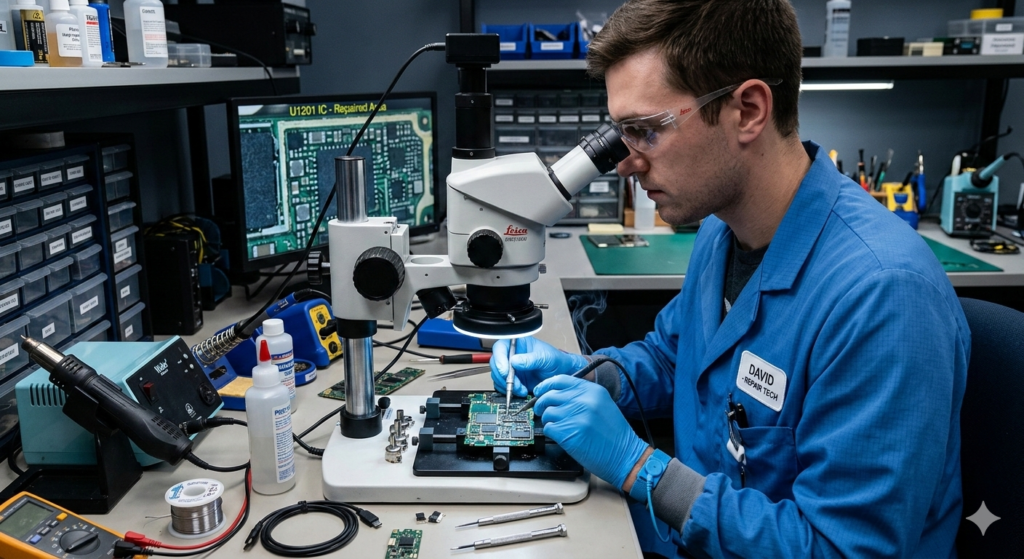
These repairs require professional tools and experience in micro-soldering.
Tools Used in Network Repair
Mobile repair technicians often use:
- Multimeter
- DC power supply
- Microscope
- Hot air rework station
- Soldering iron
These tools help diagnose and repair network faults at the component level.
When to Visit a Mobile Repair Technician
You should visit a professional technician if:
- Your phone shows “No Service” continuously
- SIM cards work in other phones but not in yours
- IMEI number is missing
- The phone suffered water or physical damage
Professional diagnosis can save time and prevent further damage to the device.
Conclusion
Mobile network or signal problems can occur due to SIM issues, software errors, or hardware damage on the motherboard. While some problems can be solved with simple troubleshooting, others require professional mobile repair techniques.
Understanding the causes of network issues helps users identify the problem faster and ensures that their smartphones stay connected without interruption.